 |
Calamity Engine 1.0.0
A cross-platform 2D game engine written in C++ and SDL3.
|
|
Calamity Engine 1.0.0
A cross-platform 2D game engine written in C++ and SDL3.
|
#include <definitions.hpp>
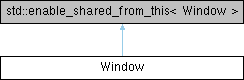
Public Member Functions | |
| Window (std::string title="Calamity App", Rect dimensions=Rect({0, 0}, {480, 272}), RenderLogicalPresentation presentation=RenderLogicalPresentation::LETTERBOX, WindowFlags flags=WindowFlags::RESIZABLE, Color clearColor=Color::BLACK, bool fullscreen=false) | |
| ~Window () | |
| void | resetLogicalPresentation () |
| void | exit () |
| void | initialize () |
| void | render (Graphics &graphics, Engine *engine) |
| void | physicsUpdate () |
| void | update (float deltaTime) |
| void | setActiveCamera (Camera *camera) |
| Camera * | getActiveCamera () const |
| template<class Archive > | |
| void | save (Archive &ar) const |
| template<class Archive > | |
| void | load (Archive &ar) |
Public Attributes | |
| std::string | title |
| WindowFlags | flags |
| RenderLogicalPresentation | presentation |
| Rect | dimensions |
| Color | clearColor |
| std::unique_ptr< Node > | root |
| bool | fullscreen |
| int | id = 0 |
| SDL_Window * | window = nullptr |
| SDL_Renderer * | renderer = nullptr |
The Window class represents a window on the screen. It contains a root node which is the parent of all nodes that are rendered to that window.
When constructing a window, you can define the screen size, window title, presentation type, clear color and fullscreen mode:
Any window created must also be appended to the Engine class:
Afterwards, any nodes that are children of the window's root node will be rendered to the screen:
| Window::Window | ( | std::string | title = "Calamity App", |
| Rect | dimensions = Rect({0, 0}, {480, 272}), |
||
| RenderLogicalPresentation | presentation = RenderLogicalPresentation::LETTERBOX, |
||
| WindowFlags | flags = WindowFlags::RESIZABLE, |
||
| Color | clearColor = Color::BLACK, |
||
| bool | fullscreen = false |
||
| ) |
| Window::~Window | ( | ) |
| void Window::exit | ( | ) |
| Camera * Window::getActiveCamera | ( | ) | const |
| void Window::initialize | ( | ) |
| void Window::load | ( | Archive & | ar | ) |
| void Window::physicsUpdate | ( | ) |
| void Window::resetLogicalPresentation | ( | ) |
|
inline |
| void Window::setActiveCamera | ( | Camera * | camera | ) |
| void Window::update | ( | float | deltaTime | ) |
| Color Window::clearColor |
| Rect Window::dimensions |
| WindowFlags Window::flags |
| bool Window::fullscreen |
| int Window::id = 0 |
| RenderLogicalPresentation Window::presentation |
| SDL_Renderer* Window::renderer = nullptr |
| std::unique_ptr<Node> Window::root |
| std::string Window::title |
| SDL_Window* Window::window = nullptr |
 1.9.8
1.9.8